


- Why Print Custom Logo Stickers for Your Home Business?
- Online Sticker Printing vs. Printing at Home
- Tips for Choosing Online Sticker Printing and Printing at Home
- Sum Up
- Get Discount Code to Shop!
-
FAQs
- What are the main benefits of using a business label maker to print custom logo stickers at home?
- How does online printing compare to home printing in terms of quality?
- What type of logo stickers can I print with the M110 label maker?
- How do I decide whether to print custom logo stickers at home or use an online service?
- Can I make changes to my design if I use an online printing service?
- What should I look for in a reliable online printing service?
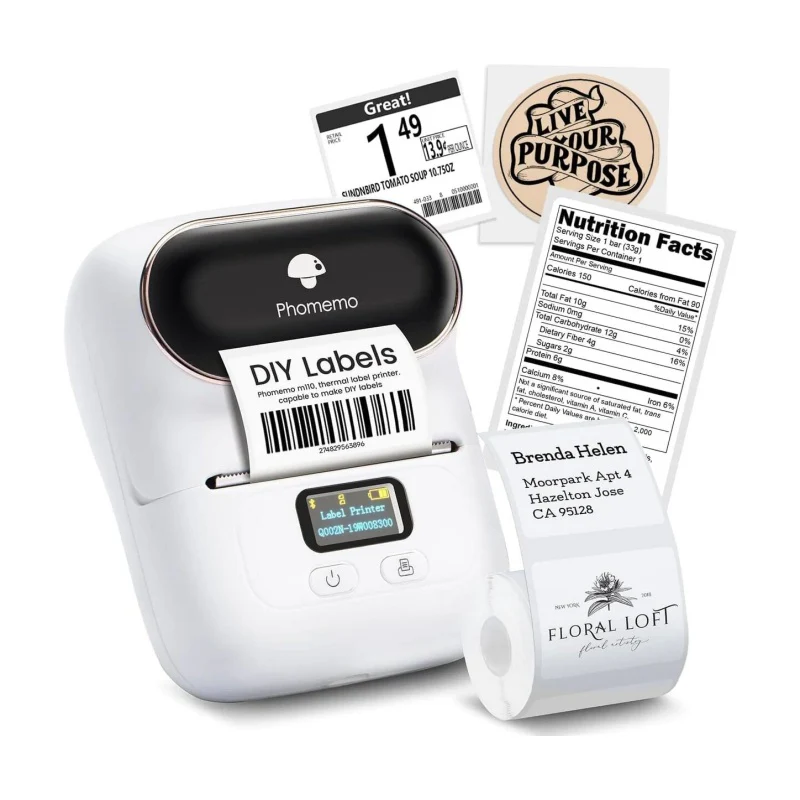
Thermal Business Label Maker
⭐ 138 Reviews

40X30mm White Thermal Label
⭐ 101 Reviews
Are you planning to start a small business from home? Whether you plan to sell handcrafted jewelry, homemade soap, snacks or other handmade products from home, after completing a series of preparations for starting your own business, have you thought about how you should reflect your brand's characteristics in the goods you sell? At this point, many people think of customizing stickers with their own brand logo.
Why Print Custom Logo Stickers for Your Home Business?
Brand Recognition: Custom stickers help establish and reinforce your brand identity. Consistent use of your logo and brand colors across stickers can make your brand more recognizable and memorable.
Professionalism: High-quality stickers lend a professional touch to your packaging, marketing materials, and product labeling. They can create a polished and cohesive look for your business.
Marketing Tool: Stickers can serve as a cost-effective marketing tool. When customers use or display your products with this custom sticker, they effectively become brand ambassadors, promoting your business to others.
Enhanced Packaging: Adding custom stickers to your packaging can elevate the perceived value of your products, making them look more premium and thoughtfully presented.

Online Sticker Printing vs. Printing at Home
Once you’ve decided to print your own custom logo stickers for your small business, it’s important to understand your options for printing. You can either commission an online sticker printer to produce custom logos in bulk or invest in a thermal sticker printer to handle the printing yourself. How should you choose between these two approaches? Here are the advantages and disadvantages of choosing online sticker printing compared to printing your own logo stickers at home with a thermal printer :
The Comparison of Advantages :
Online Sticker Printing
Professionalism: Utilizing professional printing equipment ensures superior sticker quality. High-quality machines are designed to deliver crisp, vibrant colors and precise details, resulting in a more polished and professional appearance for your custom logo stickers.
Diversity: Professional printers offer compatibility with a wide range of consumables, allowing you to choose from various materials and patterns. This versatility means you can explore numerous sticker options, from different finishes to unique textures, giving you greater flexibility in achieving the look you want.
Convenience: With professional printing services, you only need to design your sticker pattern and delegate the printing process. This hands-off approach saves you time and effort, as the printing company handles production and ensures that your stickers are produced efficiently and to a high standard.
Printing at home with a thermal label maker
Lower Budget: Self-purchasing consumables for thermal printing typically costs less compared to ordering custom stickers online.
Controllable Quantity: There are no minimum order requirements, so you can print stickers on demand, reducing waste and avoiding excess inventory.
Flexibility: With your own thermal printer, you have the ability to easily update and modify your logo design to align with seasonal events, promotions, or changes in branding.
Short Time Consumption: When you need logo stickers, you can quickly print them without delay.
Environmentally Friendly: Thermal printing technology eliminates the need for ink cartridges, making it a more eco-friendly option.
Ease of Use: The print master app offers an extensive library of materials, patterns, and fonts for designing your logo stickers. With a simple Bluetooth connection to your smartphone or tablet, you can easily design and print your stickers with just a few clicks, streamlining the entire process.
The Comparison of Disdvantages :
Online Sticker Printing
High Cost: Many professional printing services require a minimum order quantity (MOQ), which can be challenging for small shipments or family-run businesses with limited sticker needs.
Time-Consuming: After placing your order, you must wait for the sticker printer to complete the printing process, package the stickers, and then ship them to your location.
Instability: You cannot verify the final product until it arrives, which means that the finished stickers might differ from your expectations or the design you approved. This lack of immediate feedback can lead to discrepancies in color, quality, or overall appearance.
Printing at home with a thermal label maker
Printing Speed: Handheld business label makers often struggle to match the speed of professional printers, especially when dealing with large quantities of logo stickers. But with a print speed of 30mm/s, our M110 portable thermal label maker will meet the needs of the average home business.
Printing Results: Unlike professional printers, which are designed to handle a wide range of materials and printing papers, label makers may only be compatible with specific types. Additionally, some label makers are restricted to printing patterns in black, limiting your design options and potentially affecting the vibrancy and detail of your logo stickers.
Tips for Choosing Online Sticker Printing and Printing at Home
Tips for Home Printing with M110 Thermal Business Label Maker:
Download and Connect: Begin by downloading the Print Master app and pairing your label maker with your device via Bluetooth. If there are more than one M110 label maker in proximity, you can identify and connect to the correct machine by double-clicking the power button, which will display the machine’s MAC number for easy selection.
Prepare Thermal Labels: Phomemo label maker is compatible with multiple types of label paper, supporting the printing of round labels, square labels, cable labels and price labels; label paper is available in a variety of design styles, including solid color sticker, clear sticker, holographic sticker and so on. You can choose the best thermal labels for your need.
And before printing, it’s important to slightly pull the thermal label beyond the exit of paper. This step ensures that the label material is properly aligned and ready for smooth printing, helping to prevent any issues during the printing process.
Initial Setup: On your first use, click on the paper feed button to initiate the setup process. This action helps the app to correctly identify the positioning of the thermal label, ensuring that subsequent prints are aligned accurately and efficiently.
Select the Correct Template: Prior to printing, make sure to choose the appropriate thermal label size in the app. This ensures that the label design matches the dimensions of the thermal label you’re using, leading to optimal printing results and reducing the likelihood of misprints or alignment issues.

Tips for Choosing Online Printing Service
Choose a Reputable Company: It’s crucial to select a company with a strong reputation for quality and reliability. To ensure you make an informed choice, conduct thorough research by exploring reviews and discussions on platforms like Reddit and other forums. Participate in discussions to gather insights from other users’ experiences and feedback, which can help you assess the company's credibility and service quality.
Compare Prices and Additional Costs: When evaluating different printing companies, compare not only the base prices but also consider additional expenses such as shipping and packaging fees. These extra costs can significantly impact the overall price per sticker. By accounting for these factors, you can make a more accurate cost comparison and choose the option that offers the best value for your budget.

Sum Up
In conclusion, both online and home printing options for custom logo stickers offer distinct advantages and challenges. The choice between online and home printing depends on your specific needs, budget, and the scale of your custom logo sticker production. Evaluating these factors will help you determine the most suitable approach for your custom logo stickers.
Get Discount Code to Shop!
Are you ready to purchase one thermal business label maker to print? Get a discount on your purchase with the code LATEST8! Simply enter the code at checkout to enjoy savings on your order. Don’t miss out—shop now and take advantage of this exclusive offer!

FAQs
Q1:What are the main benefits of using a business label maker to print custom logo stickers at home?
Advantages of home printing include cost-effectiveness, greater control over design and quality, convenience with on-demand printing, and customization options.
Q2:How does online printing compare to home printing in terms of quality?
Online printing services typically offer higher quality due to advanced printing technology and professional-grade materials. This can result in more durable and visually appealing stickers compared to home printing.
Q3:What type of logo stickers can I print with the M110 label maker?
Click here to see the label paper rolls that the M110 is compatible with. The M110 label maker supports the printing of white, color and transparent label paper, as well as the printing of round and square label paper.
Q4:How do I decide whether to print custom logo stickers at home or use an online service?
Consider factors such as budget, order volume, desired quality, turnaround time, and the level of control you need over the printing process. Home printing might be suitable for small batches and tight control, while online printing is better for larger orders and high-quality results.
Q5:Can I make changes to my design if I use an online printing service?
Many online printing services offer design tools or professional assistance to help you make changes to your design before printing. However, the ability to make adjustments might be limited compared to home printing.
Q6:What should I look for in a reliable online printing service?
Look for a service with positive reviews, clear pricing, high-quality samples, a variety of materials and finishes, and good customer support. Additionally, check their turnaround time and shipping policies to ensure they meet your needs.





Leave comment