

 Business Label Maker
 Shipping Label Printer
 Tattoo Stencil Printer
 Mini Printer
 Home Label Printer
 New Arrivals
 Phomemo M221 Bluetooth Portable Thermal Business Label Maker
 Phomemo M200 Bluetooth Portable Thermal Business Label Maker
 Phomemo PM344-WF Shipping Label Printer 300DPI WiFi
 Phomemo PM64D Bluetooth Shipping Label Printer Upgraded Direct Touchscreen
 Phomemo M08F Wireless Tattoo Stencil Printer
 Phomemo TA81 Continuous Tattoo Stencil Printer
 Phomemo T02 Inkless Mini Printer
 Phomemo M04S Mini Thermal Printer
 Phomemo P15 Vintage Ribbon Printer
 Phomemo D30 Portable Bluetooth Home Label Maker
 Phomemo Direct Thermal M08F Letter & A4 Portable Printer
 Phomemo Direct Thermal Portable Printer M832 Upgrade
 Phomemo Thermal Portable Printer M832D Upgraded Direct Touchscreen
 Phomemo TK20 Bluetooth Temporary Tattoo Printer with 40Pcs Temporary Tattoo Paper & 4 Markers
 Phomemo P3M AI Sticker Mini Printer
 Phomemo 40×30مم ملصق حراري أبيض لـ M110/M120/M150/M200/M220/M221-3 لفة
 Phomemo ملصق حراري أبيض 50×80 مم لـ M110/M120/M200/M220/M221
 Phomemo More Sizes Label Sales for Business Label Maker
 Phomemo 4"x6" Fan-Fold Thermal Direct Labels for Shipping Label Printer
 Phomemo 2" Multiple Thermal Round Label for Shipping Label Printer
 Phomemo 2" Silver Thermal Holographic Sticker for Shipping Label Printer
 Phomemo Tattoo Transfer Paper For M08F/TP81/TP83/TP87 Tattoo Printer
 Phomemo Tattoo Transfer Paper For TP31 Tattoo Printer
 Phomemo Upgraded Tattoo Transfer Paper For M08F/TP81/TP83/TP87 Tattoo Printer
 Phomemo ورق حراري ملصق أبيض بقي لمدة 20 سنة بعرض 53 مم لـ M02/M02S/M02Pro/M03/M04S/M04AS/M832/P2S丨3 لفات
 Phomemo 53مم ملصق أبيض ورق حراري يدوم 10 سنوات لـ T02/M02X/M832丨3 لفات
 Phomemo 110mm Paper for M04S/M04AS/M832 | 3 Rolls
 Phomemo 12mmx5m Pastel Blue&White&Red Ribbon Label Tapes for P15/A30
 Phomemo ملصق أبيض 12x40mm لـ D30/D35/Q30/Q30S
 Phomemo ملصق حراري ذهبي 14x40mm لـ D30/D35/Q30/Q30S
 Phomemo ورق حراري سريع الجفاف 8.26"x11.69" A4 لطابعات M08F/M832/Q302
 Phomemo 2/4 Rolls Thermal Paper For M832 Portable Printer
 Phomemo Letter & A4 Paper for M08F/M832/Q302 | Free Storage Bag
 Phomemo PM64D Bluetooth Shipping Label Printer
 Phomemo M03C Flashcards Mini Printer
 Phomemo L85 Smart Touchscreen Professional Tattoo Stencil Printer
 Phomemo TA81 Continuous Tattoo Stencil Printer
I noticed many people's Phomemo M02 mini printer unboxing and bought it when it felt good. If you can make good use of it, it still brings a lot of convenience. You only need to connect to Bluetooth to print all kinds of paper. Because I am a handbook expert, I often use it when making handbooks. Let’s share some methods on how to use the Phomemo M02 printer!
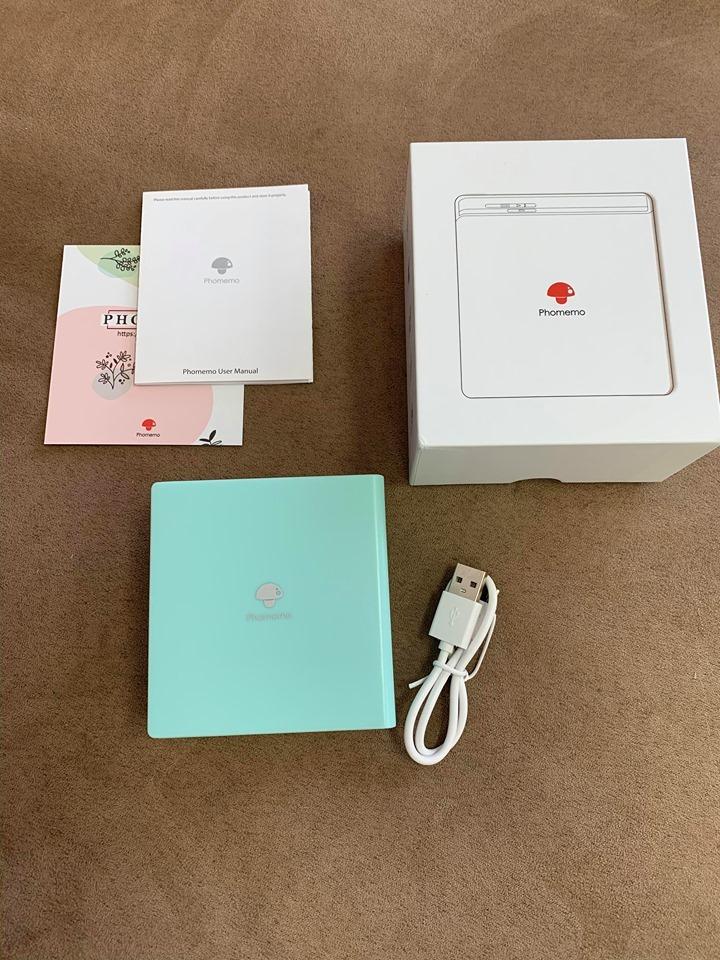
First comment on the appearance of Phomemo M02, exquisite and small, giving a fresh feeling. It can be carried with you. Generally, it can be used for half a month if it is not printed every day after fully charged.
As for the printing paper, because I used it for handbooks, I bought self-adhesive paper and textured paper, which saved the trouble of using glue. The principle of Phomemo M02 is thermal printing, so the content will disappear after a certain period of time, so it is not suitable for printing things that need to be stored forever. You can choose printing paper with a validity period of 5, 10, 20 years according to your own needs. In addition to plain paper and self-adhesive paper, there are also textured paper and translucent paper.
First, you need to download the Phomemo App in your phone, turn on the machine, connect with Bluetooth, and automatically search for the device, then click to successfully connect. There are many functions on the APP, and I often use the "Edit Note" function inside. In addition to being able to freely edit text, it can also mix graphics and text, and the printing effect is very good!
Find the "Banner" function in the toolbox to print a single large character, collage it in your account, and mark the key points.
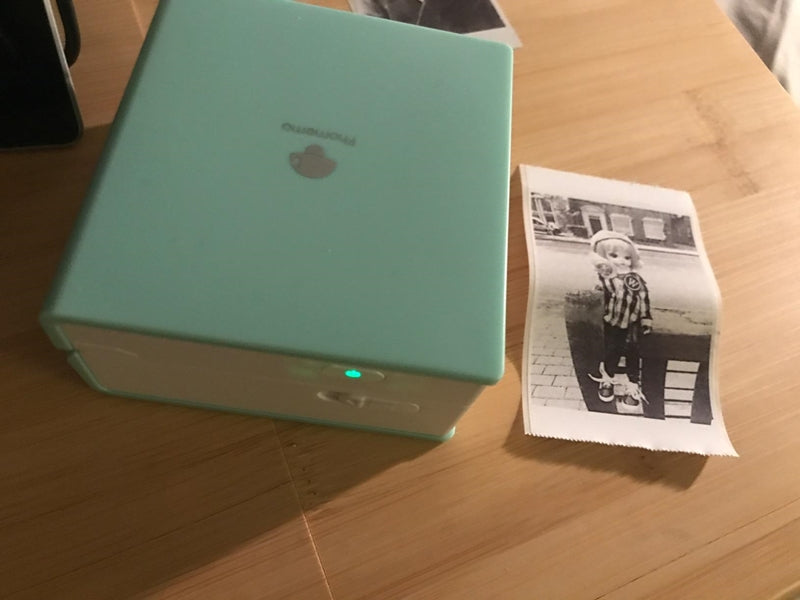
The template materials in the app also have some decorative frames and sticky notes that can be directly printed and used, or you can print your own collection of picture materials.
The effect printed by Phomemo M02 is black and white, and the printed material can be graffiti. You can also find some coloring patterns like the secret garden to color.
The entire use process is very easy to learn, almost zero obstacles. Print out a small one, which is perfect for making a pocketbook! You can also choose the printing density according to the effect you want to print, and of course also support horizontal and vertical typesetting. Phomemo M02 thermal paper change is also very convenient, just push the open button to replace it.
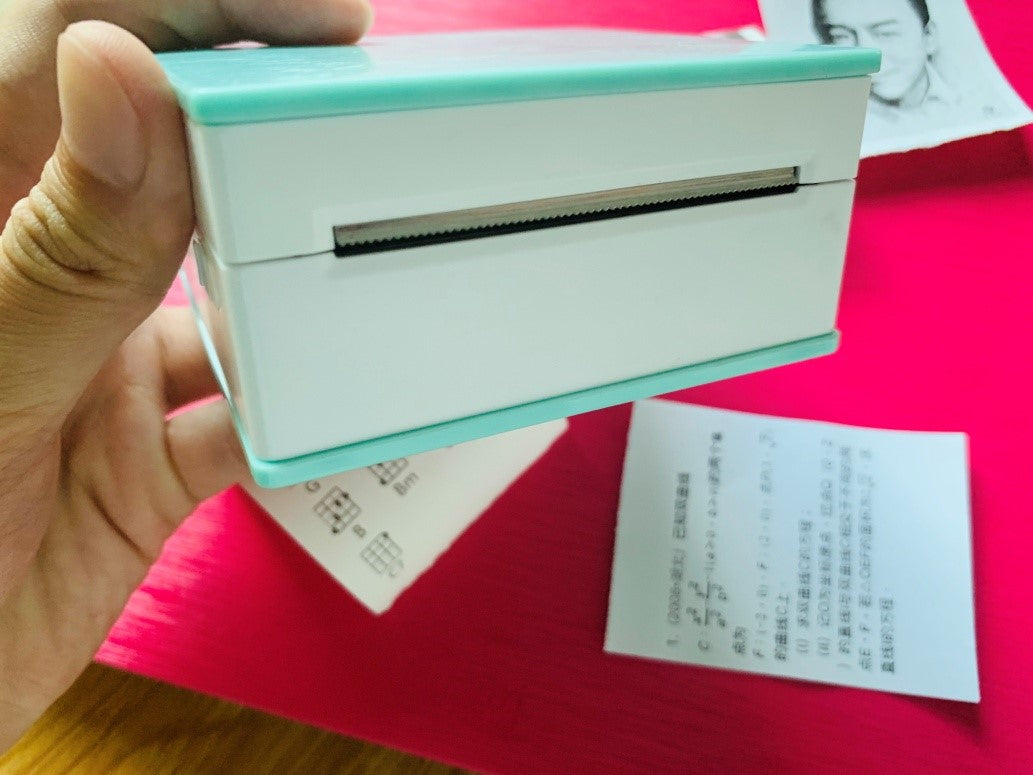
The paper exit is equipped with a serrated knife. As long as it is printed, it can be easily torn off by tearing it diagonally above, and the torn paper is neat and orderly.
Everyone is free to use creativity, not limited to rigid styles, and can print some new patterns. This is the Phomemo M02 Mini pocket printer gameplay that I use temporarily, and there are others to be explored by my friends, and you can share the fun if you find it!





How do you print a banner?
Quick question. Is there a way to rename my Phomemo from “D30” on my Bluetooth from my phone’s device list to make it unique to me? Thanks!!!