


- Why Etsy Shipping Labels are Important
- Setting Up Your Etsy Shop for Shipping
- How to Purchase and Print Shipping Labels on Etsy
- Benefits of Using a Thermal Shipping Label Printer
- Choosing the Right Shipping Label Printer
- Tips for Optimizing Your Shipping Process
- FAQs
- Summary

Bluetooth Shipping Label Printer
⭐ 192 Reviews
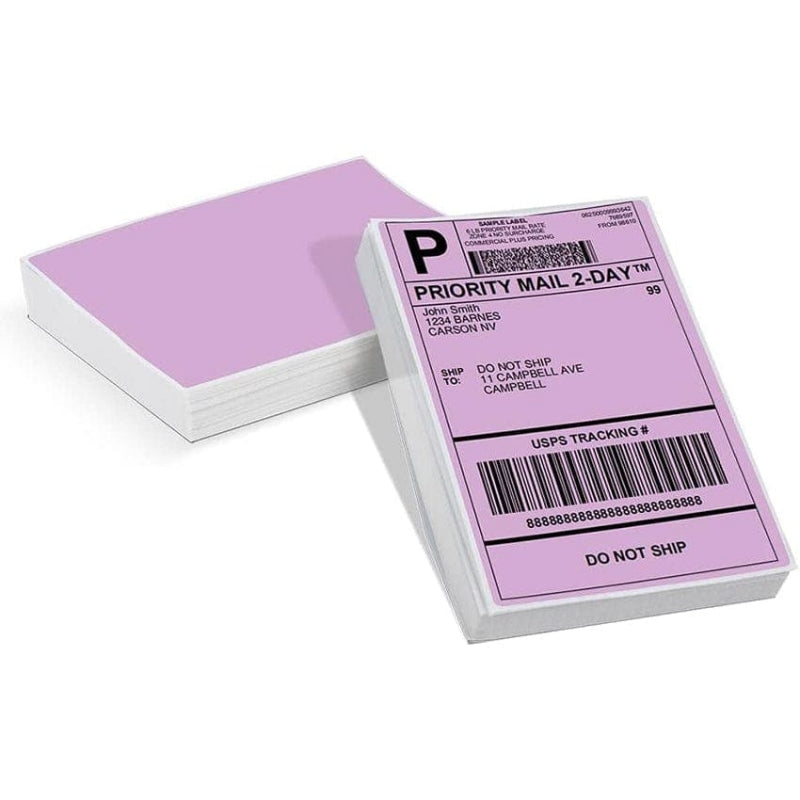
Fan-fold Shipping Label
⭐ 231 Reviews
Printing Etsy shipping labels is a critical part of this process, ensuring that your products reach your customers efficiently and securely. In this guide, we will walk you through the step-by-step process of printing shipping labels on Etsy. This comprehensive guide is designed to help e-commerce beginners streamline their shipping processes, improve their operational efficiency, and enhance customer satisfaction.
Why Etsy Shipping Labels are Important
Etsy Shipping labels are more than just pieces of paper with addresses on them. They are integral to ensuring that your products reach their destination safely and promptly. For Etsy sellers, understanding how to efficiently create and print shipping labels is essential for smooth operations.
Etsy Shipping labels contain vital information such as the sender's and recipient's addresses, tracking numbers, and shipping methods. They ensure that:
-
Packages are delivered to the correct address.
-
Shipments are trackable.
-
Delivery times are accurate.
-
Potential issues during transit are minimized.
By using well-printed and clear shipping labels, you can avoid many common shipping problems, enhancing your overall customer service.

Setting Up Your Etsy Shop for Shipping
Before you can print shipping labels, you need to set up your Etsy shop's shipping settings. Here’s how you can do it:
a. Add Shipping Profiles
-
Navigate to the Shop Manager: Click on “Shop Manager” at the top right corner of your Etsy dashboard.
-
Settings: Go to “Settings” and select “Shipping settings”.
-
Add a Shipping Profile: Click on “Add a shipping profile”. Here, you can set up shipping costs, handling time, and the countries you ship to.
b. Link a Payment Method
To purchase shipping labels, ensure your payment method is linked to your Etsy account:
-
Go to Shop Manager: Click on “Finances” and then “Payment settings”.
-
Add a Payment Method: Ensure you have a valid credit card or PayPal account linked.
c. Shipping Carrier Options
Etsy provides various shipping carriers depending on your location. Common options include USPS, FedEx, and UPS. Select the carrier that best suits your needs and budget.
How to Purchase and Print Shipping Labels on Etsy
Once your shop is set up, follow these steps to purchase and print shipping labels:
a. Receiving an Order
When a customer places an order, you will receive a notification in your Etsy Shop Manager.
b. Preparing the Package
Ensure your product is securely packaged to prevent damage during transit.
c. Buying a Shipping Label
-
Go to Orders & Shipping: Navigate to “Shop Manager” > “Orders & Shipping”.
-
Select the Order: Find the order you want to ship and click on “Get shipping labels”.
-
Enter Package Details: Fill in the weight and dimensions of your package.
-
Choose a Shipping Carrier: Select your preferred shipping carrier and service.
-
Purchase the Label: Review the shipping cost and click “Purchase”.
d. Printing the Shipping Label
-
Download the Label: After purchase, download the shipping label PDF.
-
Print the Label: When printing Etsy shipping labels, you have two main options: print at home or print at the post office. If you choose to print your face sheets at home, you will need a shipping label printer. This method is generally recommended for its convenience and efficiency.
On the other hand, printing labels at a post office is also a good method, but it can be time-consuming and may incur additional costs. In addition, you may face long wait times, especially during busy periods, and less control over print quality. Therefore, after weighing the pros and cons, printing shipping labels at home with a reliable printer is a better option.
Benefits of Using a Thermal Shipping Label Printer
As an Etsy seller aiming to manage shipping logistics from home, you have several printing methods at your disposal. Firstly, inkjet printers are a versatile option capable of producing shipping labels on adhesive label paper. They are suitable for moderate printing volumes and offer flexibility in handling various label sizes. Secondly, laser printers provide faster and more precise printing, making them ideal for high-volume label production on adhesive paper. Both inkjet and laser printers are reliable choices depending on your specific needs, such as volume of shipments and budget considerations.
However, I strongly recommend considering a thermal shipping label printer for Etsy sellers. Thermal printers operate by using heat to create images on specially coated paper, eliminating the need for ink or toner. They are renowned for their speed, efficiency, and cost-effectiveness over time, making them particularly advantageous for businesses that regularly handle shipping labels. The simplicity of operation and consistent print quality further enhance their appeal, especially in environments where streamlined logistics management is crucial. For Etsy sellers looking to optimize their shipping processes and maintain professional standards, investing in a thermal shipping label printer can significantly streamline operations and enhance customer satisfaction with timely and clear shipment labeling.

Here are some benefits of using a thermal shipping label printer:
Efficiency
Thermal shipping label printers are designed for high-speed printing, allowing you to produce labels quickly. This is particularly beneficial during peak seasons when order volumes are high.
Compact Design
Shipping label printers are typically compact and take up less space than traditional inkjet printers. This is ideal for small home offices or workspaces with limited room.
Easy Setup and Use
Thermal printers, like the shipping label printer, are user-friendly and easy to set up. Once connected to your computer or mobile device via USB or Bluetooth, you can start printing labels immediately, streamlining your workflow.
Clear Printing
Thermal shipping label printers produce high-resolution prints up to 300dpi, resulting in sharp and clear shipping labels. This enhances the readability of barcodes and addresses, reducing the likelihood of shipping errors.
Enhanced Brand Image
Using high-quality, professional-looking shipping labels can enhance your brand's image and create a positive impression on customers. Clean, well-printed labels reflect attention to detail and professionalism. Moreover, many shipping label printers allow for easy customization of labels, enabling you to add your logo or branding elements. This adds a personal touch to your packages and strengthens brand recognition.
Compatibility with Other Platforms
In addition to Etsy, thermal printers are compatible with various shipping and e-commerce platforms such as Amazon, eBay, and Shopify. This makes it easier to manage multiple sales channels if you expand your business.
Choosing the Right Shipping Label Printer
Choosing a Phomemo shipping label printer offers several compelling advantages for Etsy sellers and other small businesses involved in shipping operations. Here are some key reasons why you might consider this option:
-
Compact and Portable: The shipping label printers are often compact and portable, making them easy to set up and use in various workspaces, whether at home or in a small office. Their portable nature ensures flexibility in workflow management.
-
Ease of Use: These printers are designed with user-friendly features, including simple setup processes and intuitive interfaces. This makes them accessible even for those without extensive technical expertise, allowing for quick deployment and operational efficiency.
-
Cost-Effective: The printers typically offer cost-effective solutions for printing shipping labels. They use thermal printing technology, which eliminates the need for ink or toner cartridges. This reduces ongoing operational costs compared to traditional inkjet or laser printers.
-
High Printing Speeds: The thermal printers are known for their high printing speeds. They can produce shipping labels swiftly, which is advantageous for handling large volumes of shipments efficiently.
-
Compatibility: The printers are often compatible with various platforms and software used for e-commerce and shipping management. They can seamlessly integrate with systems like Etsy, ensuring smooth order processing and label printing directly from your online store.
-
Quality and Durability: These printers typically offer good print quality, ensuring clear and legible labels that meet postal service requirements. They are also built to withstand regular use and can handle the demands of a shipping environment effectively.

Tips for Optimizing Your Shipping Process
a. Standardize Your Packaging
Using standard packaging sizes can simplify your shipping process. It helps in calculating shipping costs accurately and speeds up the packing process.
b. Automate Your Shipping
Consider using software that integrates with Etsy to automate your shipping process. This can include printing labels in bulk and tracking shipments automatically.
c. Maintain Inventory
Keep a well-organized inventory to ensure you can quickly fulfill orders. This reduces the time between receiving an order and shipping it.
d. Use Shipping Tools
Etsy provides tools to help you manage your shipping. Make full use of these tools to streamline your operations.
e. Customer Communication
Keep your customers informed about their order status. Send notifications when their order has shipped, and provide tracking information.
FAQs: About Shipping Labels
What is a Shipping Label?
A shipping label is a piece of paper or sticker that contains important information about a package, including the sender's and recipient's addresses, tracking number, and shipping method.
What Size Should My Shipping Labels Be?
The standard size for shipping labels is 4x6 inches. This size is ideal for most carriers and provides enough space for all necessary information.
Why Should I Use a Dedicated Shipping Label Printer?
Using a dedicated shipping label printer, like the Phomemo Shipping Label Printer, ensures high-quality, clear, and durable labels. These printers are cost-effective, efficient, and reduce the hassle of dealing with ink and toner.
Can I Use Any Printer to Print Shipping Labels?
While you can use a regular printer to print shipping labels, a dedicated shipping label printer offers better quality and efficiency, particularly for high-volume printing.
Are Thermal Shipping Labels Durable?
Yes, thermal shipping labels are durable. They are resistant to smudges, water, and fading, making them ideal for shipping purposes.
Can I Print Etsy Shipping Labels in Bulk?
Yes, Etsy allows you to print shipping labels in bulk. This feature can save you time if you have multiple orders to ship.
How Much Does It Cost to Print Shipping Labels on Etsy?
The cost to print shipping labels on Etsy varies depending on the carrier and shipping method you choose. Etsy provides discounted rates for shipping labels purchased through their platform.
Can I Void a Shipping Label on Etsy?
Yes, you can void a shipping label on Etsy within a certain period after purchase. This can be done through the Orders & Shipping section of your Shop Manager.
Summary
Printing shipping labels on Etsy doesn’t have to be a complicated task. By setting up your Etsy shop correctly and using a dedicated shipping label printer like the Phomemo Shipping Label Printer, you can streamline your shipping process, save time, and enhance your customer’s experience. Investing in the right tools and optimizing your shipping practices can significantly contribute to the success of your e-commerce business.





Leave comment