Product Description
————————————————————————————
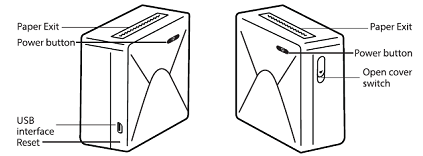
Power indicator status
| Light is steady |
Standby/charging completed |
| Slow flashing |
Charging |
| Fast flashing |
Fault: out of paper/overheating |
| Fast flashing |
Low battery |
| Light is off |
Shut down/charging completed
(While the printer is off)
|
Battery Warning Description
————————————————————————————
Never disassemble, impact, squeeze or put into fire.
If there is severe swelling, do not continue to use;
Do not put in a high temperature environment.
Do not use if immersed in water;
Be sure to replace with an appropriate type of battery. (There is danger of explosion if you replace it with the wrong type of battery.)
Be sure to dispose of the used battery as instructed.
Operation Guidance
————————————————————————————
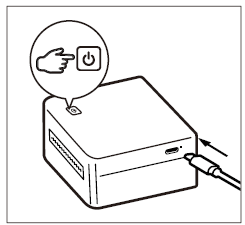
1. Fully charge the battery before using the first time, turn on the machine, press and hold the power button for 3 seconds.
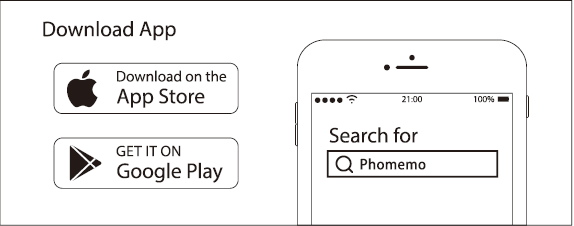
2. Search for Phomemo and download the App.
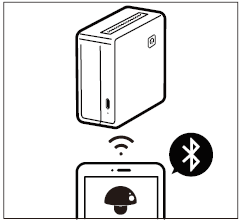
3. Turn on bluetooth, search for the device in the App and connect.
Paper Replacement
————————————————————————————
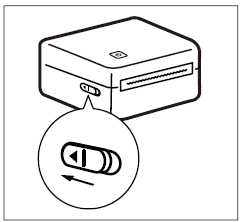
1. Replace the paper by pushing the switch on the printer to open the cover.
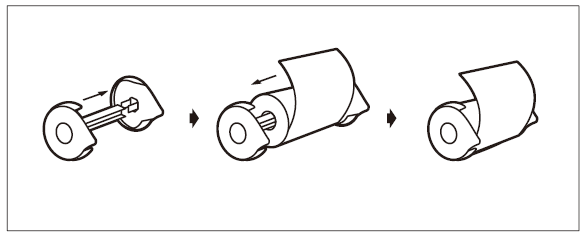
2. Take out the adjustable plate. Open the adjustable plate slightly, install the paper roll in the plate and close it.
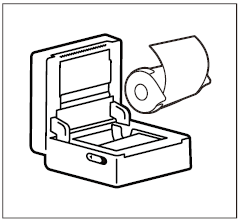
3. Place the paper roll into the printer and straightened the paper as shown in the picture above.
Attention
————————————————————————————
① Insert or pull out the charge cable gently to avoid any damages to the port.
② Pull out the cable after charging is complete.
③ Do not charge or use the printer in high temperature, high humidity, or foggy circumstances (e.g.in a bathroom, a stream room or beside fire) which may be dangerous. (NOTE: This machine is not suitable for tropical environments)
④ Improper charging methods may cause damages to the print head.
⑤ Do not touch the print head in case of high temperature.
⑥ Be aware of the sharp blade.
⑦ If the operation of the printer fails, the printer can be reset by gently inserting the reset hole.
Phomemo official consumables types
————————————————————————————
Plain paper: With image retention up 7 or 10 years.
Color paper: Include yellow, pink and blue paper ...with image retention up to 5 years.
Sticker Paper: With sticky glue, with image retention up to 10 years.
Sticky Note: With back glue, can be pasted and taken off at any time.
Continuous label paper: With sticky glue, with no fixed size, can freely set the printing length.
————————————————————————————
*The paperoll is the special paper for the Phomemo.
*The guarantee policies can not be enjoyed if the Phomemo failure is produced because the paperoll is not used.



 IT
IT
 EU
EU